For students · Finals and beyond
Stop doomscrolling while you study.
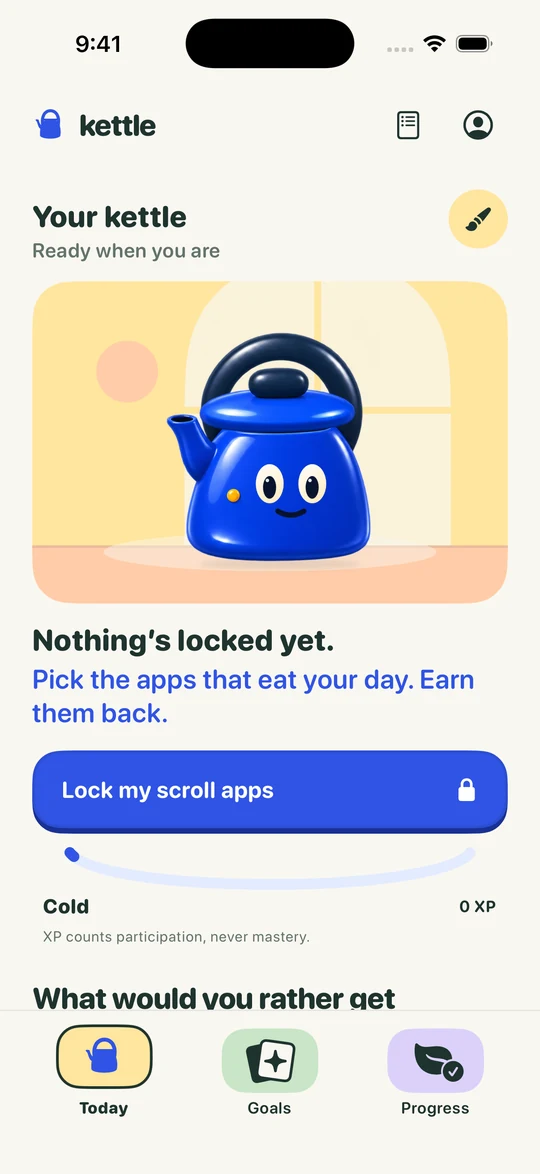
Make the scroll harder to start and the studying easier to start. A few small changes help, and Kettle on iPhone adds one more: your scroll apps stay locked until you answer two quick questions on what you’re studying.
How it works
Lock. Two questions.
Whistle. Scroll.
 Boil first.
Scroll after.Unlock for today1You open Instagram.
A Screen Time shield covers it: “Boil first. Scroll after.”
- Quick Check · 1 of 2History 140What year did the Berlin Wall fall?1989
2Two quick questions.
Answer from memory, on a topic you chose. Miss one and Kettle shows you why.
-
3Your kettle whistles.
That’s a Boil done. You earned the scroll.
- 20min
420 minutes. Then it locks.
Start your window when you’re ready. When it ends, your apps lock again.
On iOS 26.5 or later, one tap on the shield opens Kettle straight onto your first question; on earlier versions you tap a Kettle notification. A longer Topic Review earns 60 minutes. Illustrations and example question, not screenshots.
Five things that help
Small changes,
tonight.
- Decide the first five minutes. “Open the Week 7 slides and do question one” is easier to start than “study”.
- Move the phone. Another room, or at least a bag across the room. Out of reach beats willpower.
- Silence the pull. Turn off notifications from scroll apps, or use a Focus while you work.
- Plan the breaks. A short scroll after each block of work is easier to keep than a promise of none at all.
- Make the scroll cost something useful. That’s Kettle: two quick questions on your course before the feed opens.
The kettle way
You can still scroll.
You just earn it.
Cutting your phone off completely is hard to keep up. Kettle keeps the scroll, and puts a little learning in front of it. Two quick questions, then 20 minutes, then the apps lock again.
Skip it and it goes cold. Your kettle’s warmth follows your week. Keep your promises a few days running and it earns a new glaze, and it stays yours even after a missed day.
Good
questions.
Do I have to delete TikTok or Instagram?
No. Kettle locks the apps you choose with Apple’s Screen Time and opens them again after a Boil. Nothing is deleted.
What if I need my phone to study?
Only the apps you pick are locked. Your calculator, notes, email and course apps work as normal.
Can I still unlock in an emergency?
Yes. Unlock for today is always there, and you can turn blocking off whenever you need to, without paying. It just doesn’t count as a Boil, so your kettle cools a little.
Is Kettle free?
Your first earned window is free on a new account. After that, earning windows is part of Kettle Pro, a monthly or yearly subscription. The App Store shows the price for your country before you decide. Unlock for today and turning blocking off are always free.
Is Kettle available in the US?
Kettle’s first iPhone release is for Australia. The download page always shows where you can get it right now. Kettle for Chrome is in the Chrome Web Store.
Go on.
Do the thing.
Then scroll, guilt-free, for 20 minutes.